Setup Guide
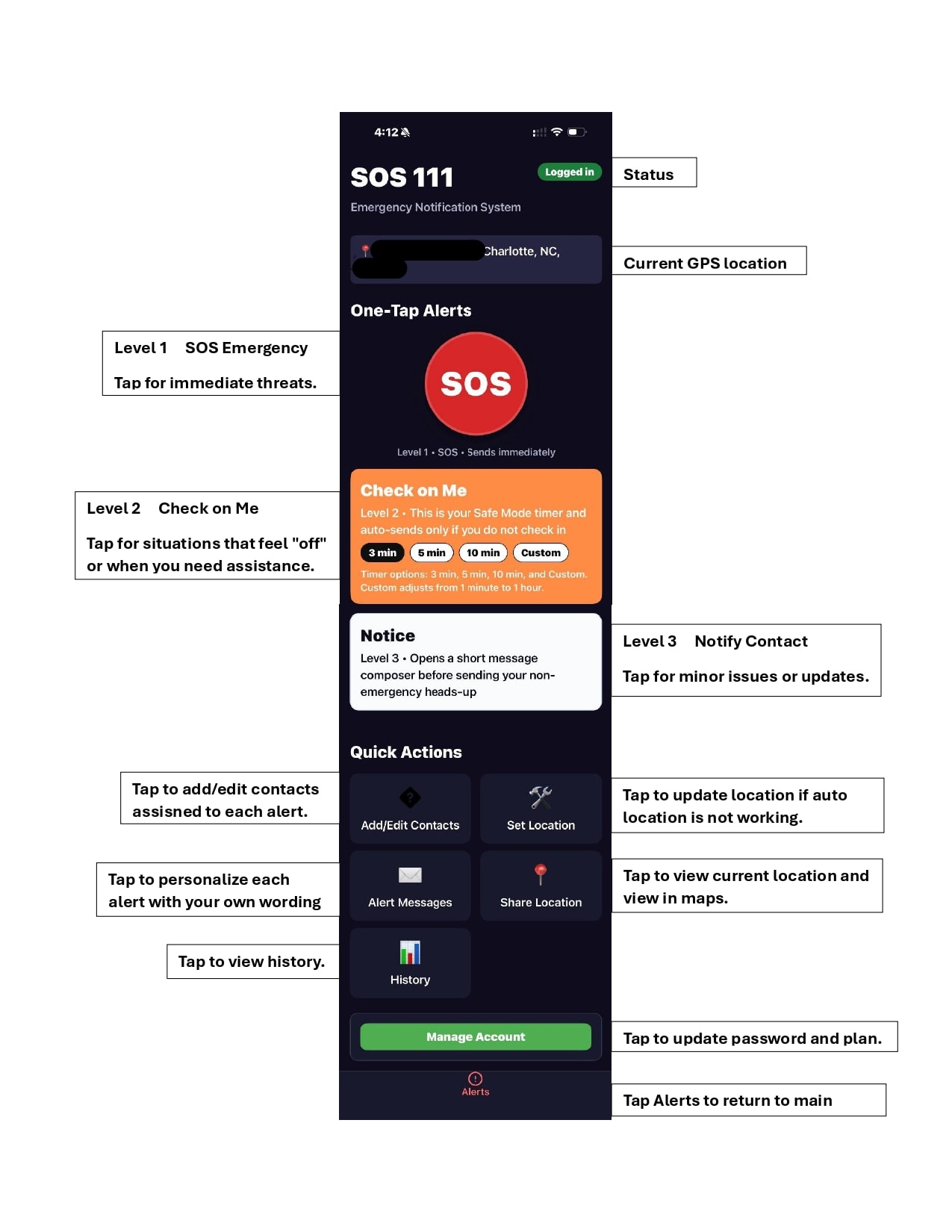
Get SOS 111 App up and running in minutes. Follow these five steps to configure your account, add your emergency contacts, and customize your alerts.
⚠ Important: SOS 111 App is designed to alert your trusted contacts — it is NOT a replacement for calling 911. Always contact emergency services in life-threatening situations.
Download the App and Install It
Download SOS 111 App from the App Store (iPhone) or Google Play (Android) and install it on your device.
Create Your Account
Open the app, type your email and a strong password to create your account.
Give App Permission
Tap Allow for location, contacts, and notifications so the app works correctly.
Add Emergency Contacts
Search your phone book contacts and add them to your alert list. Click Save.
Change Alert Messages
Click on the alert messages, edit the text to meet your needs, and click Save.
Add SOS 111 as a Contact
Save 877-849-2151 as a contact on your phone so you recognize SOS 111 messages when they arrive. Use the logo below as the contact photo — tap and hold (iPhone) or long-press (Android) to save it to your photos, then assign it to the contact.
Save this image to use as the SOS 111 contact photo:
Download Contact PhotoTroubleshooting
If you run into any issues, first try swiping up and refreshing the app — this works 99.9% of the time. If that doesn't do the trick, send an email to [email protected] and one of our lazy techs will assist you within 24 hours.
Ready Before You Head Out
Make sure everything is set up in advance: logged in, connected, and ready for fast one-tap protection.
Ready to get started?
Download SOS 111 App on iPhone or Android and get set up in minutes.